Automation Websites How it works Contact
AI operating systems

A custom AI system that runsthe parts of your businessthat repeat_

Leads, quotes, follow-ups: we build the repeat work into software that runs on your files, in n8n you can open and fix. Not a chatbot you rent. A system you own. The form on this page is one, working.

Digital Artifacts • AI & automation studio • Australia

Scroll
01 The promise

What changes when your team has an operating system

Your business runs on inbox, memory, and the five people who know everything. One of them quits Friday. We build the thing that remembers instead: files your team edits by day, and an AI that reads them on a schedule you set (6am, say), so Monday doesn't depend on who's in.

→ Outcome 01
Your team operates on current reality, not two-day-old state buried in someone's inbox.
→ Outcome 02
A lead lands at 11pm. By 11:01 they have a reply in your voice, and the full answer is waiting on your phone for the morning.
→ Outcome 03
Every output is traceable to a file in your brain. No black box, no "where did that come from".
02 Why one prompt isn't enough

Prompt-only AI
is a black box.

You pay for ChatGPT and hope. One box, no memory, no record of why it said what it said. It drifts, it invents, and six months in nobody trusts it.

So we split that box into four parts you can each open and fix.

Pain 01

Manual morning briefings

Someone spends the first hour of every day assembling what happened yesterday. It's not strategic work. It's secretarial.

Pain 02

Drafts from a blank page

Proposals, follow-ups, meeting notes, all written from scratch, all drawing on the same 80% of shared context the team already has.

Pain 03

Knowledge lives in heads

One person leaves and three months of institutional memory walks out the door. Nothing was written down where the rest of the system could use it.

03 The framework

Four layers.
One operating system.

This is the framework behind every build. It's reusable because it separates what your business knows from what the AI does. Swap the model, add a new surface, extend the brain. The stack holds.

01
Context / the brain
Your business, written down. Positioning, clients, pipeline, SOPs, tone of voice. Structured markdown in a Git repo you own. Human-editable, AI-readable, version-controlled forever.
company-brief.md clients/ pipeline/ tone-of-voice.md
02
Skills / the how
Reusable prompt recipes for the jobs your team does every week. "Draft proposal." "Prep for meeting." "Triage inbound." Each skill knows which parts of Layer 1 to read and what to produce.
proposal-writer meeting-prep lead-qualifier follow-up
03
Automation / the triggers
The steps that fire without you: a lead hits the form, a draft goes out; an invoice tips 7 days overdue, the chase begins. Whatever your triggers are, they're built in n8n, so every step has a name you can open, test, and fix.
cron: daily 08:30 webhook: lead trigger: email sync: CRM
04
Agent / the face
How your team talks to the system and how the system talks back. Slack, SMS, voice, dashboards, email. Wherever your people already work. One brain, many surfaces.
Slack DM SMS Voice (ElevenLabs) Dashboard
See each layer in depth
Deep-dive on each layer, with a sample file, a real n8n workflow, and three worked examples.
04 In practice

Same framework.
Different deployment.

The four layers don't care what industry you're in. Only what your team actually does each day. Here's the same stack, populated three different ways.

01 · Context
  • Client histories & matter files
  • Proposal templates
  • Billing rates & scope rules
  • Conflict-of-interest register
02 · Skills
  • proposal-writer
  • meeting-prep
  • client-update
  • scope-change-memo
03 · Automation
  • 8:30am daily matters brief
  • Meeting transcript → draft note
  • RFP inbound → proposal scaffold
  • Weekly partner pipeline summary
04 · Agent
  • Slack @ops for anything
  • Daily brief in DM
  • Voice call from the car
  • Partner dashboard (web)
01 · Context
  • Supplier pricelists
  • Crew schedules & skills matrix
  • Job templates by trade
  • Site safety & SWMS rules
02 · Skills
  • quote-builder
  • job-wrap-up-note
  • supplier-reorder
  • overdue-chaser
03 · Automation
  • Quote request → draft sent for review
  • Invoice 7 days overdue → SMS sequence
  • Job complete → review request
  • 6am crew schedule → SMS
04 · Agent
  • SMS-first for crew
  • Office dashboard (simple web)
  • Voice intake for missed calls
  • Owner daily email at 6pm
01 · Context
  • ICP definitions
  • Pipeline stages & exit criteria
  • Competitor battlecards
  • Objection-handling library
02 · Skills
  • lead-qualifier
  • discovery-summary
  • pipeline-movement
  • deal-risk-flag
03 · Automation
  • New lead → AI classify + your CRM + your team
  • Deal stuck 14 days → risk memo
  • Monday 7am pipeline brief
  • Discovery call → logged next steps
04 · Agent
  • Team Slack channel
  • Inline CRM notes
  • Daily email brief at 7am
  • Rep asks @ops anything
05 The governing rule

Humans write.
AI reads.

The brain (Layer 1) is only edited by humans, through a review step. The AI reads it at runtime but never writes to it. Correct a fact once. Every future output is right. No drift, no hallucinated history, no black box.

Write path / humans only
You correct the brain.
Human Review Git commit Brain
Read path / AI runtime
The system uses the brain.
Brain AI (reads only) Output
06 Also

We also build the interfaces your operating system shows the world.

Marketing sites, client portals, internal dashboards, job-tracking tools. Layer 4, rendered as a front-end, so the same system your team talks to is the one your customers see.

See the website work
07 Selected work

Real businesses,
live and shipped.

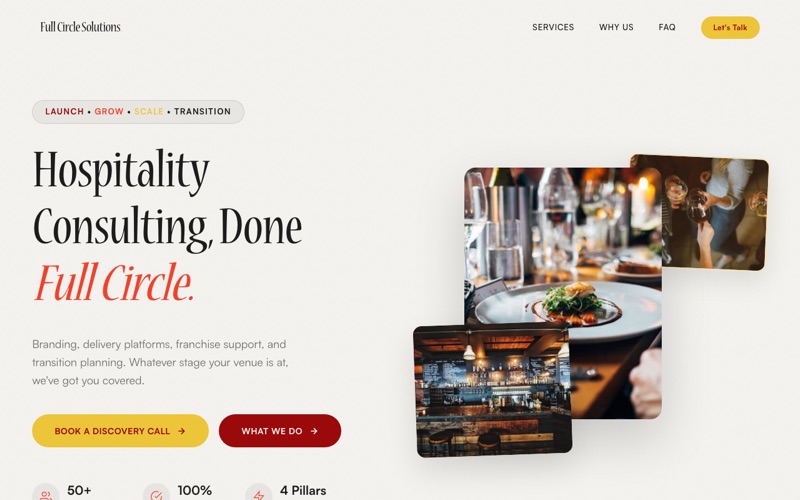
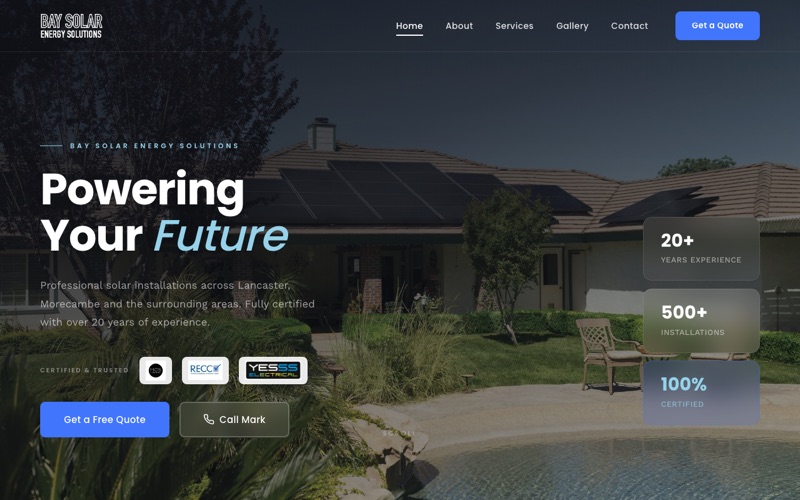
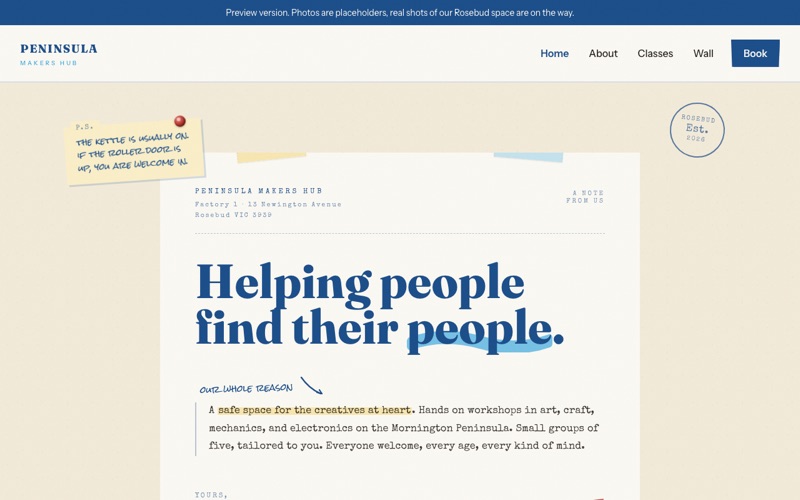
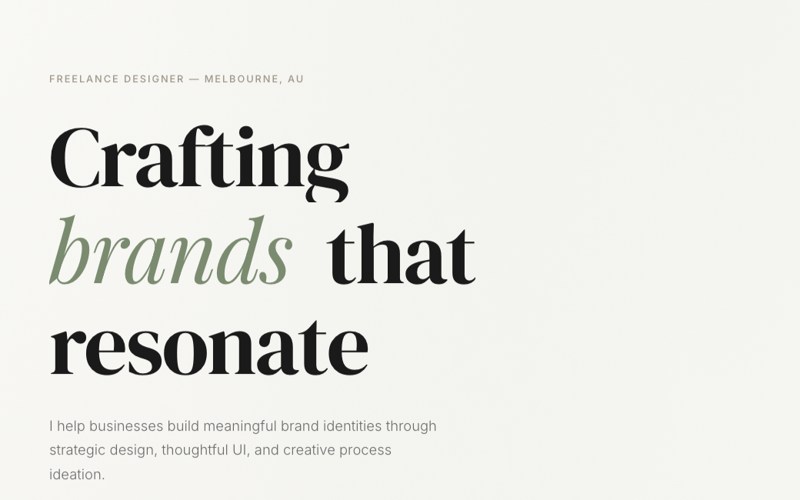
A selection of client work, every one live online right now. Across design studios, solar, tree care, and local services, in Australia and the UK. Click any of them and see for yourself.
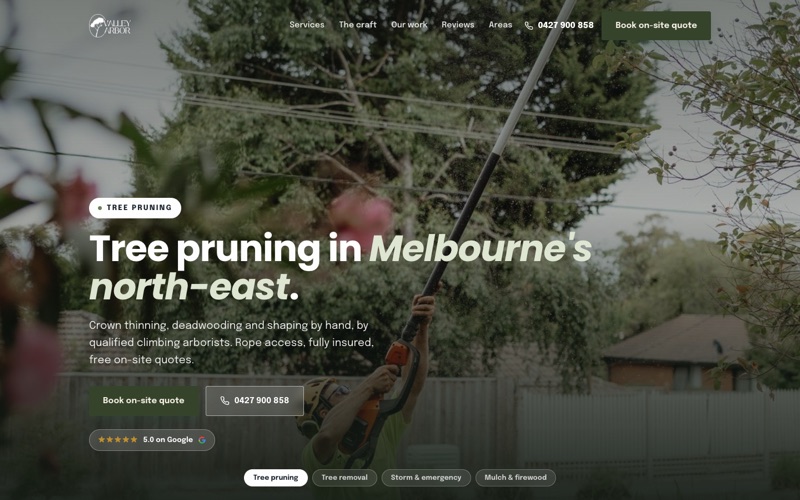
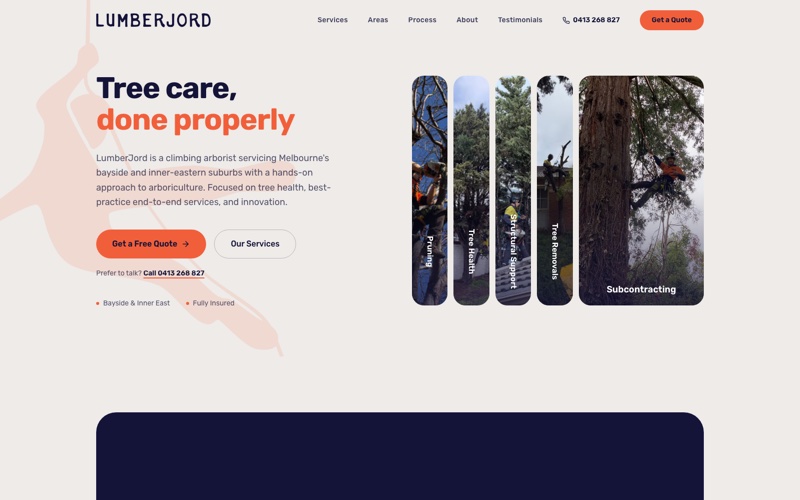
Valley Arbor arborist website
Case study

A website that answers, on a system that follows up.

Matt climbs trees for a living. He was losing jobs to his own voicemail: enquiries came in while he was 20 metres up a gum tree, and the follow-up happened whenever he got down. Or didn't.

The build. A fast custom site in his brand with his real work photos, per-suburb pages for local search, and his live Google reviews wired straight in.

The system behind it. A quote form that drops every enquiry straight into his inbox through an automation, so nothing slips. Layer 4 (the site) sitting on Layer 3 (the follow-up).

The point. The same operating-system idea, scaled down to a sole trader. One brain, one surface, one less thing to chase.

Outcome numbers to follow as the new site beds in.

IW
The studio

One person. You always know who built it.

Digital Artifacts is Isaiah Wong, working direct. No account managers, no handoffs, no junior doing the real work. You talk to the person who builds your system, you own every file and workflow, and the brain only changes through a human review step.

Single operator Direct work You own the stack Based in Australia
Refer a business

Know a business drowning in admin?

Most of our work starts with a quiet word between people who trust each other. Send someone our way, and if they build with us there is a thank-you in it for both of you.

Free download

The 4-Layer Blueprint

A one-page framework you can sketch onto your own business this afternoon. Map what you already have, find the gaps, scope the first build.

  • What lives in each layer, with prompts
  • Three worked examples by industry
  • Works for any business with repetitive ops

No spam, ever. Your blueprint downloads instantly.

AI Operating Systems Daily Briefs Meeting Notes Approval Flows Lead Triage Voice Agents Custom Dashboards AI Operating Systems Daily Briefs Meeting Notes Approval Flows Lead Triage Voice Agents Custom Dashboards
07 Contact

What would you have
your operating system do?_

A 30-minute call. We'll map the first layer for free and send you back a one-pager of what the build would look like.

Based in Australia